
✨ Winnie's Tutorials & Resources ✨
this is awesome :o
I may or may not be going very slightly maybe overboard with the overlays now but ah wellll
I may or may not be going very slightly maybe overboard with the overlays now but ah wellll
│= | #00308F ency • cassie heather | =│ | breathe in, breathe through, breathe deep, breathe out Part-Veela • Alluring • Perfectionist • Scream • Sta 9 • Eva 9 • Stre 4 • Wis 10 • Arc 8 • Acc 9 | │ |


✨ Winnie's Tutorials & Resources ✨
Part III: Aesthetics and Moodboards
Has anyone ever asked you what your character's aesthetic is and you instantly think, "What the heck does that mean?" When I speak of aesthetics, I am asking for inspiration. Imagery that defines your character. There are a few popular internet aesthetics out there, one of the largest being cottagecore, which focuses on imagery of a simply country life, greenery, plants, flowers, flowing dresses, braided hair, etc.
Finding an aesthetic can be important because it makes finding resources for your characters that much easier, it gives you an idea of how you want a banner to look. You would not select cottagecore imagery for a gothic character, as an example. Having an aesthetic can help you create mood boards, help others to understand your character. Today we will be going through a few popular aesthetics and how to use them to create a mood board for your character.
➤Step One: Popular Aesthetics
I will be going through six aesthetics that I often see here on the site and I will try to break them down to show you the imagery that usually accompanies each aesthetic. Please understand that there are quite literally hundreds of aesthetics and it would that me hours upon hours to properly go through them all. I would suggest taking some time to go through a master list and explore the different categories so you can find an aesthetic that fits your character!
Mood boards are collages of ideas and images that can help set a mood in your reader. It can help place an image to the character you are wishing to portray. Usually, mood boards are created with simple grids, ranging from 2x2 to 5x5. Today we will be looking at a basic 3x3 grid mood board.
You can start by making your own size in Canva, but please make sure it's a square shape. For today I will be using 575x575 because it fits the margins of the site's forums pretty well. If you would like to skip this step I have already created a basic template for you and you can find it here.
Otherwise, we're first going to click on the 'Elements' button in the left-hand corner of Canva. Scroll down until you see a section. There are two possible ones we can use, the first is the 'Frames' section, which provides a single photo frame that you can copy and paste into a grid yourself, the other being the actual 'Grids' section.
The 'Grids' section offers a variety of different size templates for you to play with.
The one we are looking for is the square 3x3 grid:
However, because I enjoy being a bit extra and I did not like the cornered edges of the frame, I decided to create my own basic grid (the same I linked above).
For the purpose of this tutorial, we will be using my iNPC, Felix Kolbeck. Felix's hobbies enjoy; Leather jackets, being sarcastic, reading, leather jackets, grunge and punk music, duelling, sarcasm, and muggle culture... and more leather jackets.
So, since we know his visuals will be darker, we can take a look at some of the darker aesthetics. Punk and grunge will be our main inspiration for this mood board, of course, but we will also be looking at chaotic academia too.
I'm going to start by placing an image of Felix's FC in the center of the mood board. After uploading it to Canva I drag it to the center icon and release it when it clicks inside the frame. Since it's a little too zoomed out, I am going to double click and resize it within the frame like so:
Then I will drag the photo to center it on his face and click the margins or the escape key to get out of the resizing tool.
It looks better. Now on to the imagery. I have selected a few photos I feel fit Felix's personality and have also searched using his aesthetics to find a few more items. I use various sites, such as Pinterest and Tumblr. I will repeat the process and arrange the photos around the center tile until I feel it looks alright. I ended up changing the middle photo because I felt the other was still too blurry.
This next part is optional, but to ensure the photos match that much better, I am going to select a filter to place on each of them. I am going to start by clicking one of the photos and hitting the 'effects' option at the top menu. Then we are going to select 'See All' with the Photogenic option.
I decided on the 'Nordic' filter because it gave the pictures a green tint, and I usually use green as Felix's text colour. So I am going to go ahead and add that to all my photos. Afterwards, the basic mood board is finished and we can save it! But wait-- we want to make sure the background is transparent so it looks nice when we post it to Hio!
So we are going to select the 'png' option when we go to save our mood board, and then make sure 'Transparent Background' is selected.
And there you have it, your simple mood board is now finished and ready to go!
➤Bonus: Mood Board and Aesthetic Examples
Winnie Harper: Cottagecore, Poetcore, and Romantic Academia
Santario Martin: Green Academia, Punk, and Musical Academia
Percival Gray: Dark Academia, After Hours, and Rainy Day


Last edited by Winnie Athanatos on 22 Jul 2022, 01:14, edited 3 times in total.
│ │ | │ │ | STA: 15 • EVA: 18 • STR: 8 WIS: 11 • ARC: 7 • ACC: 17 | │ │ | • Healing Sage • Muggle Condition • Paragon of Health • • Poison Resistance • Animagus • Wandmaker • Lovely Creature • | │ │ | │ │ |

✨ Winnie's Tutorials & Resources ✨
WINNIE these aesthetics are feeding my soul 
chill, it's only chaos
✨ Winnie's Tutorials & Resources ✨
@Astoria Swann | @Scarlett Aden
I am glad you both enjoyed the tutorials! I am excited to share and hopefully will have more up in the future!
I am glad you both enjoyed the tutorials! I am excited to share and hopefully will have more up in the future!
│ │ | │ │ | STA: 15 • EVA: 18 • STR: 8 WIS: 11 • ARC: 7 • ACC: 17 | │ │ | • Healing Sage • Muggle Condition • Paragon of Health • • Poison Resistance • Animagus • Wandmaker • Lovely Creature • | │ │ | │ │ |

✨ Winnie's Tutorials & Resources ✨
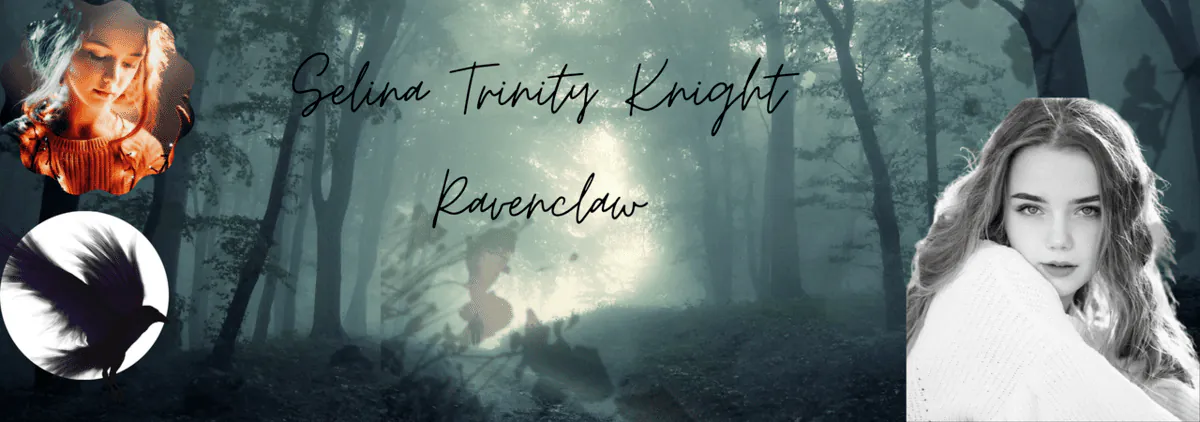
WINNIE! Thanks a lot for this tutorial! I've never thought of making a banner but with a help of your tutorial, I made one... It's not as good as yours but... it's my first one and thanks again for inspiring me to do more. I am definitely going to try mood board later!
Reducio
Sta 8|Eva 5|Str 8|Wis 6|Arc 5|Acc 8
LOVELY CREATURE| OBNOXIOUSLY STRONG

✨ Winnie's Tutorials & Resources ✨
Vivian Fletcher wrote: 29 Aug 2021, 14:51 WINNIE! Thanks a lot for this tutorial! I've never thought of making a banner but with a help of your tutorial, I made one... It's not as good as yours but... it's my first one and thanks again for inspiring me to do more. I am definitely going to try mood board later!
Reducio
They both look so great, thank you so so much for sharing with me!
│ │ | │ │ | STA: 15 • EVA: 18 • STR: 8 WIS: 11 • ARC: 7 • ACC: 17 | │ │ | • Healing Sage • Muggle Condition • Paragon of Health • • Poison Resistance • Animagus • Wandmaker • Lovely Creature • | │ │ | │ │ |
✨ Winnie's Tutorials & Resources ✨
You are such a life saver now my shop might go a little bit better!Winnie Harper wrote: 30 Aug 2021, 22:59Vivian Fletcher wrote: 29 Aug 2021, 14:51 WINNIE! Thanks a lot for this tutorial! I've never thought of making a banner but with a help of your tutorial, I made one... It's not as good as yours but... it's my first one and thanks again for inspiring me to do more. I am definitely going to try mood board later!
ReducioThey both look so great, thank you so so much for sharing with me!

Selina. K