
Encyclopedia Question
So, I see a lot of people on their encyclopedias have quote boxes next to each other vertically, or a quote box on the right and a picture on the left vertically, etc. I have no idea how to do that, so if anyone had a clue what I'm talking about, could you please tell me how?
STA: 6 EVA: 8 STR: 5 WIS: 9 AP: 5 ACC: 7
Sixth Sense | Prodigal Charms Learner
"mindset first, actions second.” -unknown
Sixth Sense | Prodigal Charms Learner
"mindset first, actions second.” -unknown

Encyclopedia Question
Hello, @Nell Zoldak
this aspect is actually pretty hard to do unless you have been on here a while and been toying with the tables. I haven't been able to master them yet but there are a few people around who would like to teach other people or maybe even code your ency for you.
Some simple examples: I'm using random pictures off of the internet.
Birth Name |
Date of Birth |
House |
Studies |
Species |
Ethnicity |
Blood Status |
Accent |
Height |
Hair Colour |
Eye Colour |
Star Sign |
Wand |
Speciality |
Patronus |
Mirror of Erised |
Boggart |
Amortentia |
Inspired by Hjørdis Jensencode:Code: Select all
[quote][table][tr][td][center][img]/images/upload/s66sslcxenqx.webp[/img][/center][/td]
[td][size=90][i][b]Birth Name[/b][/i] |
[i][b]Date of Birth[/b][/i] |
[i][b]House[/b][/i] |
[i][b]Studies[/b][/i] |
[i][b]Species[/b][/i] |
[i][b]Ethnicity[/b][/i] |
[i][b]Blood Status[/b][/i] |
[i][b]Accent[/b][/i] |
[i][b]Height[/b][/i] |
[i][b]Hair Colour[/b][/i] |
[i][b]Eye Colour[/b][/i] |
[i][b]Star Sign[/b][/i] |
[i][b]Wand[/b][/i] |
[i][b]Speciality[/b][/i] |
[i][b]Patronus[/b][/i] |
[i][b]Mirror of Erised[/b][/i] |
[i][b]Boggart[/b][/i] |
[i][b]Amortentia[/b][/i] | [/size]
[revelio][size=65]Inspired by Hjørdis Jensen[/size][/revelio][/td][/tr][/table][/quote]
These are VERY simple designs. After you have mastered these you might want to try do some harder ones. You can go to peoples encys. You will see a quatation mark. Press that and you can copy and paste the tables into your own ency and style it how you like but remember to praise the original person who did it.code:
Code: Select all
[quote][center][table][tr][td][quote]Full Name:[/quote][/td]
[td][quote]Star sign:[/quote][/td]
[td][quote]Species:[/quote][/td][/tr]
[tr][td][quote]Age:[/quote][/td]
[td][quote]House:[/quote][/td]
[td][quote]Blood Type:[/quote][/td][/tr][/table]
[/quote][/center]
If it is something really simple like the second coding you probably don't need to credit the person because it is so simple. Some of the codes are to simple that the boxes are not the same sizes. You can probably see this in the second one. This requires a bigger level of coding so if you politely ask someone they may help you.
The first one [from professor Jensen] actually is not meant to look like that. I have tweaked it a little bit for my own use that I need for the future. The words are not in the correct space and the photo looks a bit to big but that doesn't matter. You can find the original coding at Professor Jensen's ency.
I hope this helped you understand what people are doing, how hard it is to do, and how it is done.
-Lizzie Verdine
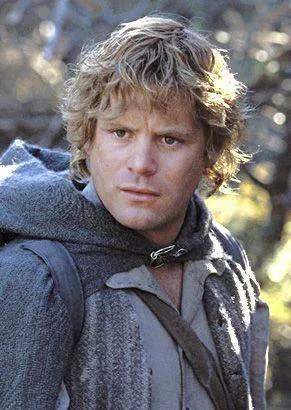
|| Charmer || Statistically Relevant ||
|| Stamina - 5 || Evasion - 6 || Strength - 11 || Wisdom - 7 || Arcane Power - 6 || Accuracy - 7 ||
|| Stamina - 5 || Evasion - 6 || Strength - 11 || Wisdom - 7 || Arcane Power - 6 || Accuracy - 7 ||
Encyclopedia Question
Thank you so much for the explanation! These codes really helped, and I sure will play around with them!
Many thanks,
Nell Zoldak
Many thanks,
Nell Zoldak
STA: 6 EVA: 8 STR: 5 WIS: 9 AP: 5 ACC: 7
Sixth Sense | Prodigal Charms Learner
"mindset first, actions second.” -unknown
Sixth Sense | Prodigal Charms Learner
"mindset first, actions second.” -unknown
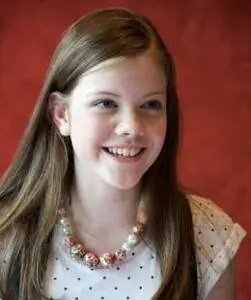
Encyclopedia Question
One thing I just wanna throw in here (as someone who's been trying, getting frustrated, and giving up with BBCode based tables) is that you can't set parameters on your tables, which means they sort of function on their own accord in some ways.
So like, you can't set a width for your table columns in bbcode, which means that, depending on the amount of text you want to add next to a photo, the photo will automatically resize smaller as preference is given to text sort of automatically.
An example:
The photo itself is 200 pixels wide, but the table autoshrinks it because there's so much text.
Not sure what you're wanting to do, but just wanted to give you a heads up that bbcode tables are fickle and mostly suited to smaller amounts of text (I spent waaaaaay too much of my time the other day failing at this).
So like, you can't set a width for your table columns in bbcode, which means that, depending on the amount of text you want to add next to a photo, the photo will automatically resize smaller as preference is given to text sort of automatically.
An example:
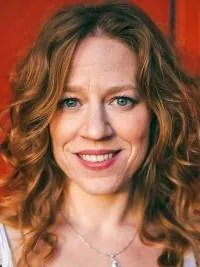 Rebecca Gollens, mother |
|
Not sure what you're wanting to do, but just wanted to give you a heads up that bbcode tables are fickle and mostly suited to smaller amounts of text (I spent waaaaaay too much of my time the other day failing at this).
|| t r u n k ||
Stamina: 4 | Evasion: 6 | Strength: 4 | Wisdom: 4 | Arcane Power: 6 | Accuracy: 6
Stamina: 4 | Evasion: 6 | Strength: 4 | Wisdom: 4 | Arcane Power: 6 | Accuracy: 6
Encyclopedia Question
Oh! Thank you for telling me that. I will have to play around a bit, I guess.
Many thanks,
Nell Zoldak
Many thanks,
Nell Zoldak
STA: 6 EVA: 8 STR: 5 WIS: 9 AP: 5 ACC: 7
Sixth Sense | Prodigal Charms Learner
"mindset first, actions second.” -unknown
Sixth Sense | Prodigal Charms Learner
"mindset first, actions second.” -unknown